The winter-spring update of Meeting Application is one of the bigger sets of changes we’ve prepared with event organizers, system admins, and attendees in mind.
In recent months we’ve mainly focused on improving work in the admin panel, developing ticket sales, handling KSeF, adding new statistics, and giving you more flexibility when configuring the event page and mobile app.
The changes cover both technical and billing features as well as elements visible to attendees — from the new agenda view and session tagging to handling coupons and external codes.
Admin panel: refreshed design, a new Statistics tab, a license calculator, and the option to pay for the event directly from the panel.
Sales and billing: KSeF integration, support for invoice corrections, VAT-exempt invoices, local government units, and separate document numbering.
Registration and communication: basic RSVP feature, new system emails for events with participation approval, and handling of user statuses.
Coupons and codes: automatic coupon distribution after purchasing a ticket, workshop, or add-on, plus the ability to distribute external codes, e.g. discount or VOD codes.
Landing Page: new options for configuring the view of tickets, workshops and add-ons, tags in the agenda, and changes to the colors of the bottom bar and nav bar.
Mobile app: refreshed coupon view, new agenda filters, tag support, and a changed look of the agenda table.
In the admin panel, we’ve introduced a range of changes that are meant to simplify the organizer’s daily work and speed up event configuration.
We’ve refreshed the look of the panel, organized the most important views, and added new features that support both configuration and data analysis on the organizer’s side.
We’ve refreshed and unified the look of the admin panel.
Thanks to this, working in the system is clearer, and the most important settings are easier to find. The changes mainly include organizing views, better readability of elements, and more consistent behavior of individual sections.
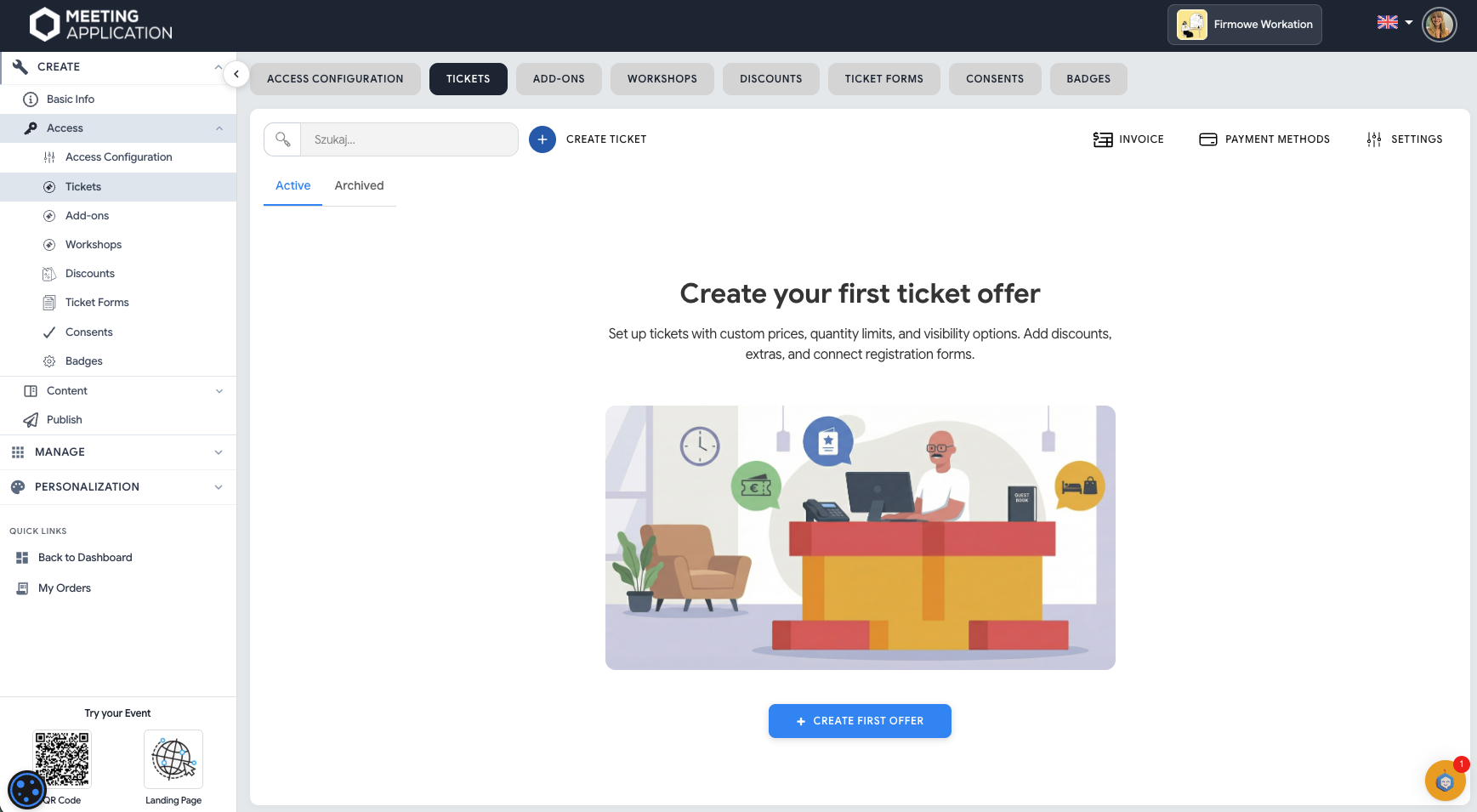
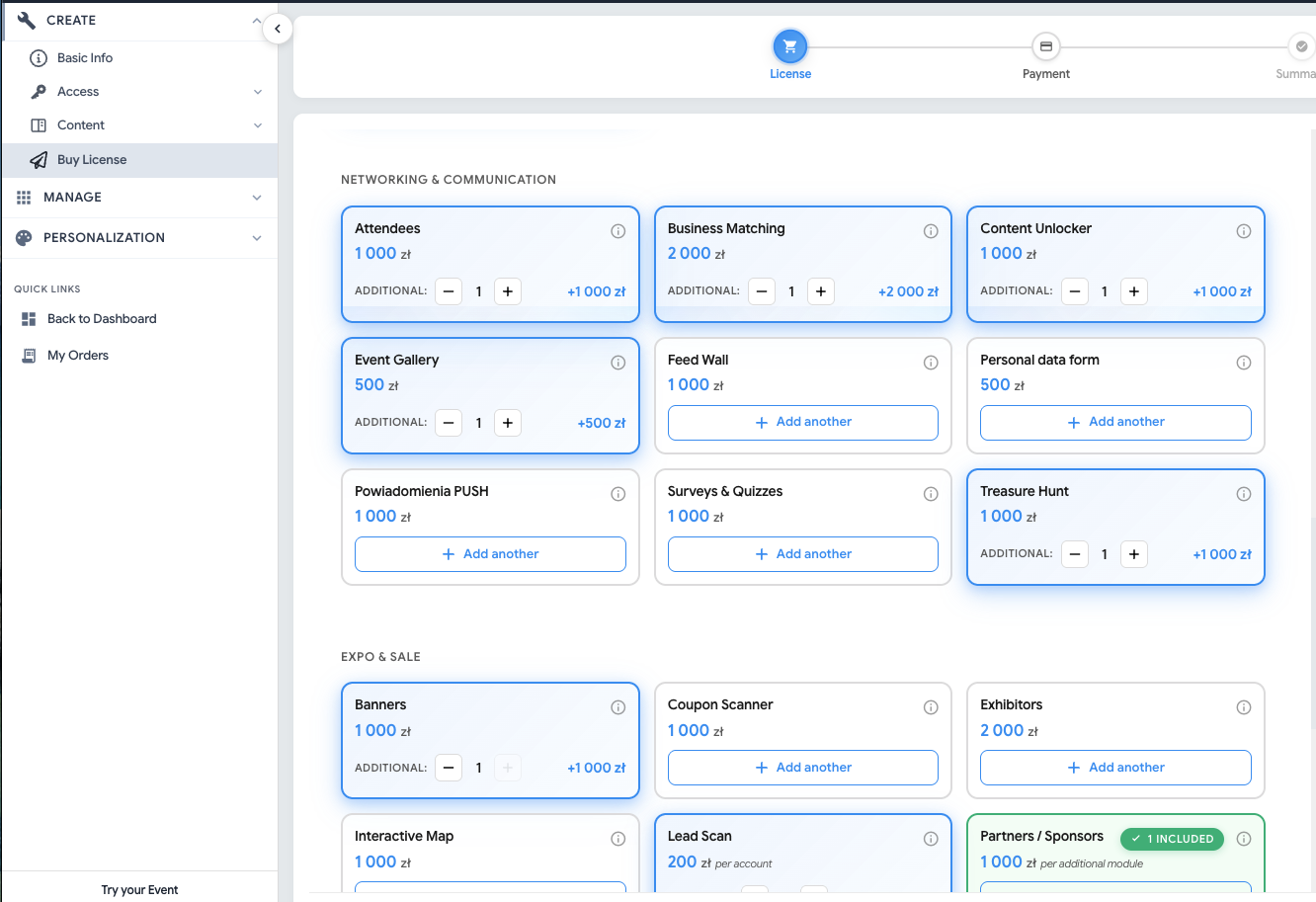
A clear calculator has appeared in the panel, which helps to choose the right set of components and a plan for the event.
Thanks to this, the organizer can more easily check which modules are needed, how they affect the event configuration, and what scope of the system will be best suited to their needs.
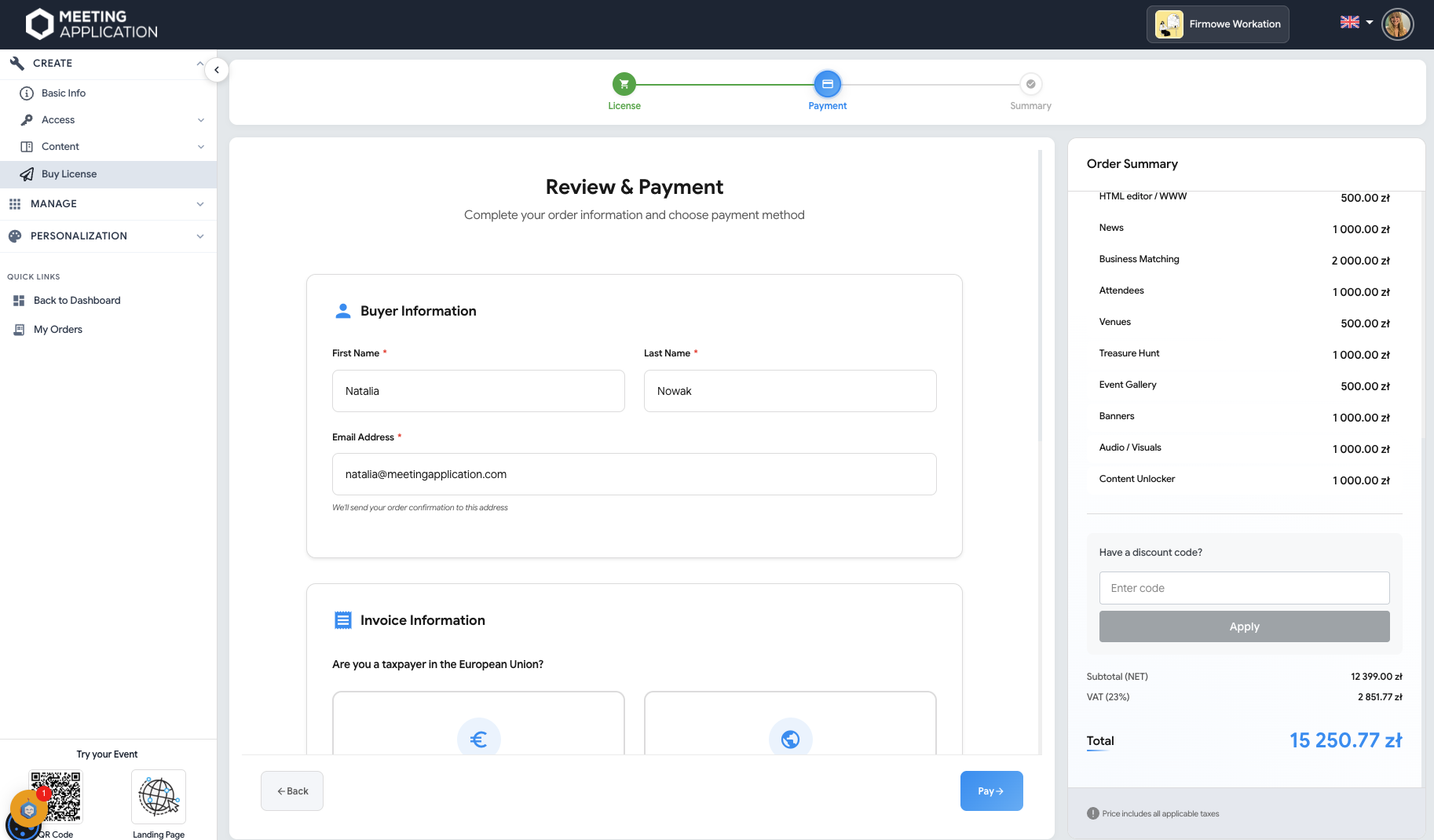
We’ve added the option to pay for the event license automatically, directly from the admin panel.
The organizer can go through the process of choosing the right scope of features, check the event cost, and pay for the license without any additional handling needed from the Meeting Application team.
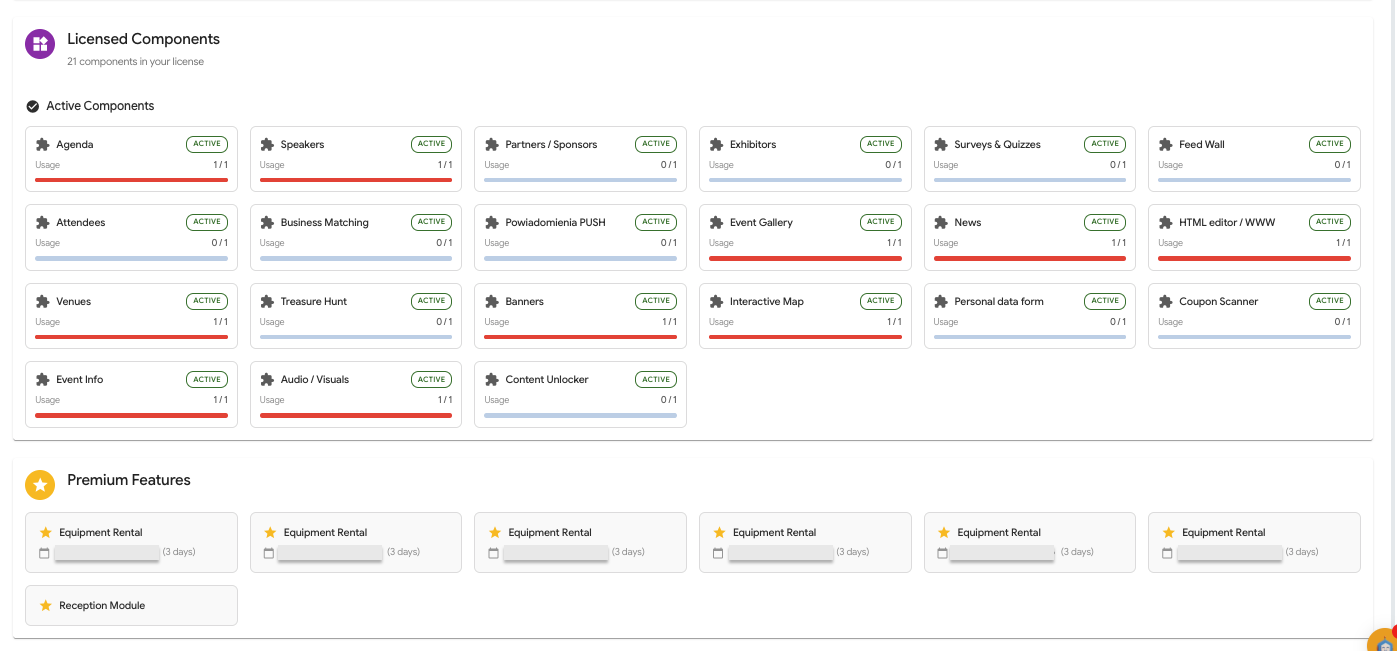
In the MANAGE → LICENSE tab you’ll find all paid components, check how many admin accounts you still have available, and what the commission cost from sales or fees for free users will be.
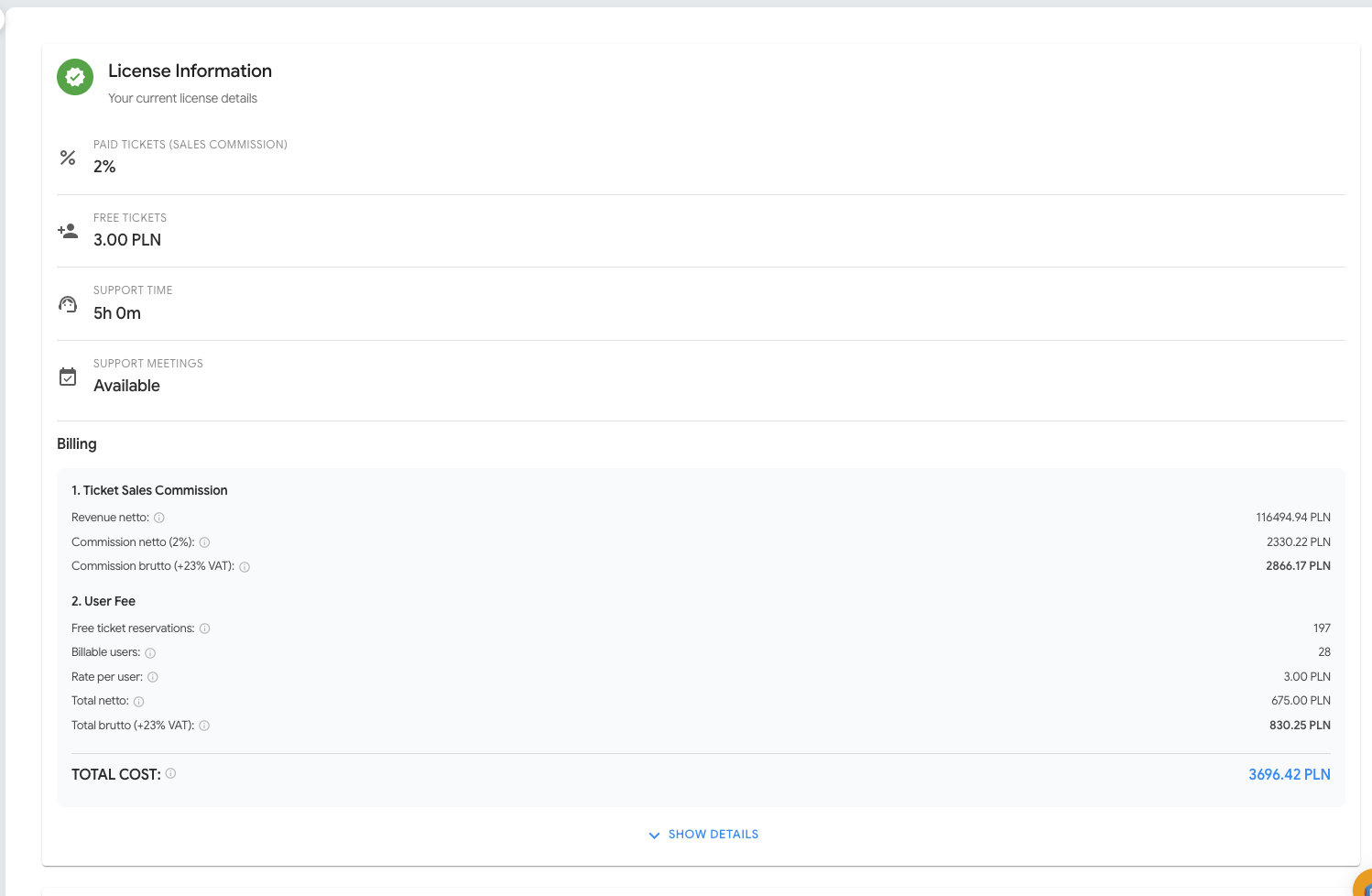
You’ll find out which modules you still have available within your paid license, how many reception sets you ordered, and whether you remembered to book an on-site PM for the event.
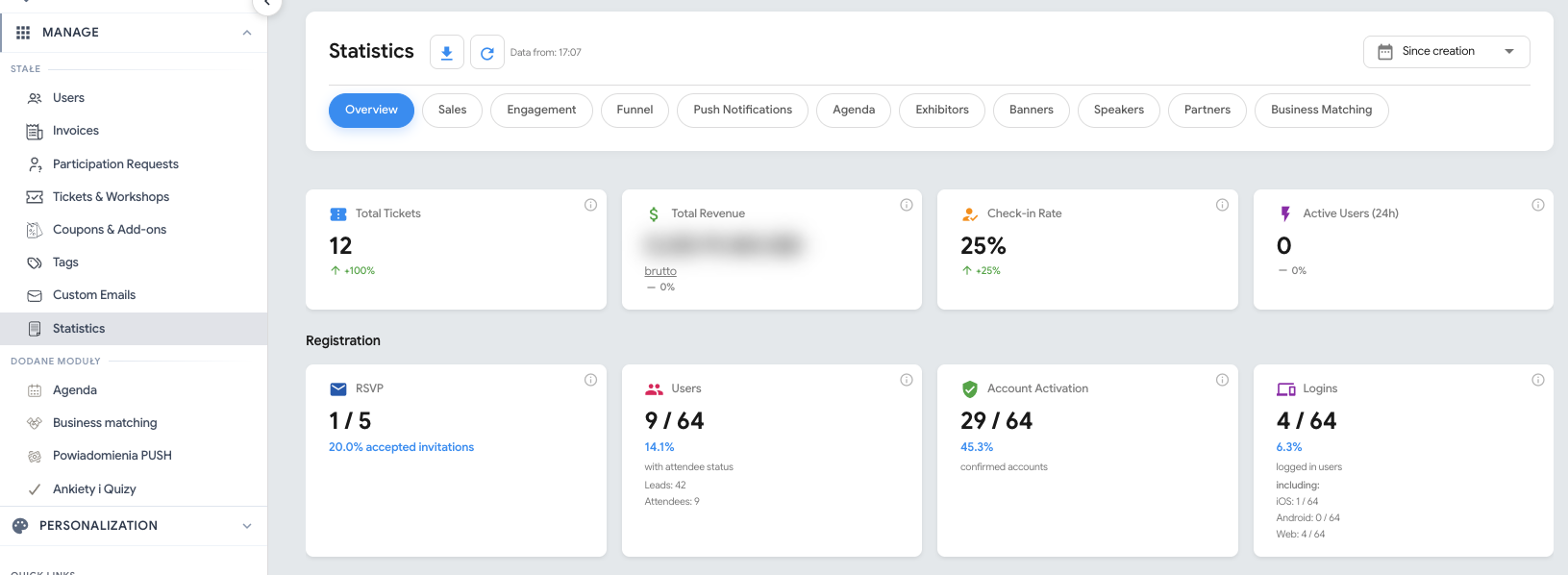
We’ve added a new Stats tab that lets you analyze event-related data directly in the admin panel.
In the new section you’ll find, among other things:
overall event statistics,
data on the sales funnel,
information about attendee engagement,
traffic analysis in individual modules.
This way the organizer can quickly assess sales performance, attendee interest, and the popularity of specific elements of the event.
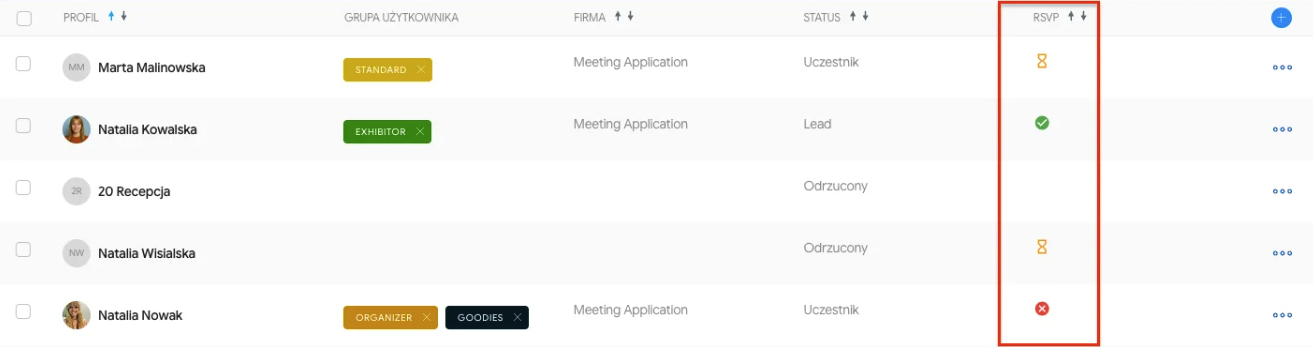
We’ve added a basic RSVP feature that lets you collect information about interest in attending an event even before official registration opens.
We’ve introduced support for user statuses in the system.
This makes it easier for the admin to track what stage a given user is at and better manage the process of registration, approval, or access to the event.

We’ve added information about participant logins broken down by platform:
iOS,
Android,
Web.
The administrator can more easily check which environment participants are using and support them better if they have problems accessing the event.
A large part of the winter update covers changes related to ticket sales, invoicing and handling the National e-Invoicing System.
We’ve introduced changes that adapt the system to KSeF requirements and make it easier to handle more complex sales scenarios.
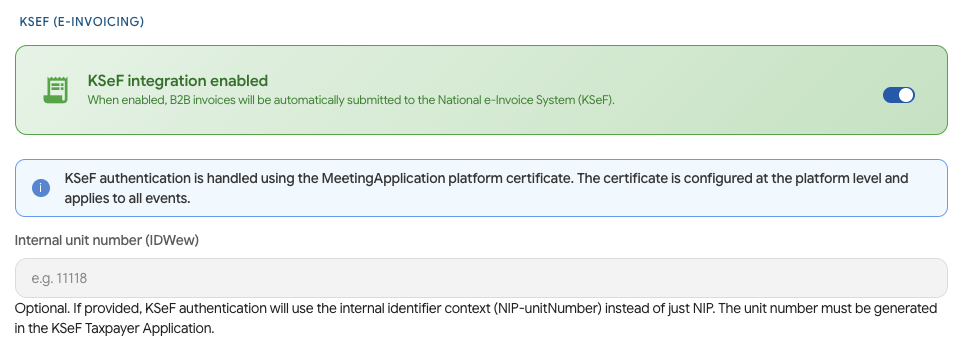
Meeting Application has been integrated with the National e-Invoicing System.
This means you can send documents confirming ticket payments directly to the Ministry of Finance system.
We’ve added support for the KSeF number and QR code on PDF documents sent to the buyer.
We’ve also introduced the right tags in mailings, so information related to KSeF documents can be correctly passed in system communication.
We’ve added support for queuing document submission to KSeF in case of failures or unavailability of the Ministry of Finance systems.
Thanks to this, documents can be handled in the right order once the system becomes available again.
The system now lets you issue an invoice correction along with handling submission to KSeF.
We’ve also added the option to issue a zero correction in case of an incorrect VAT ID (NIP) number.
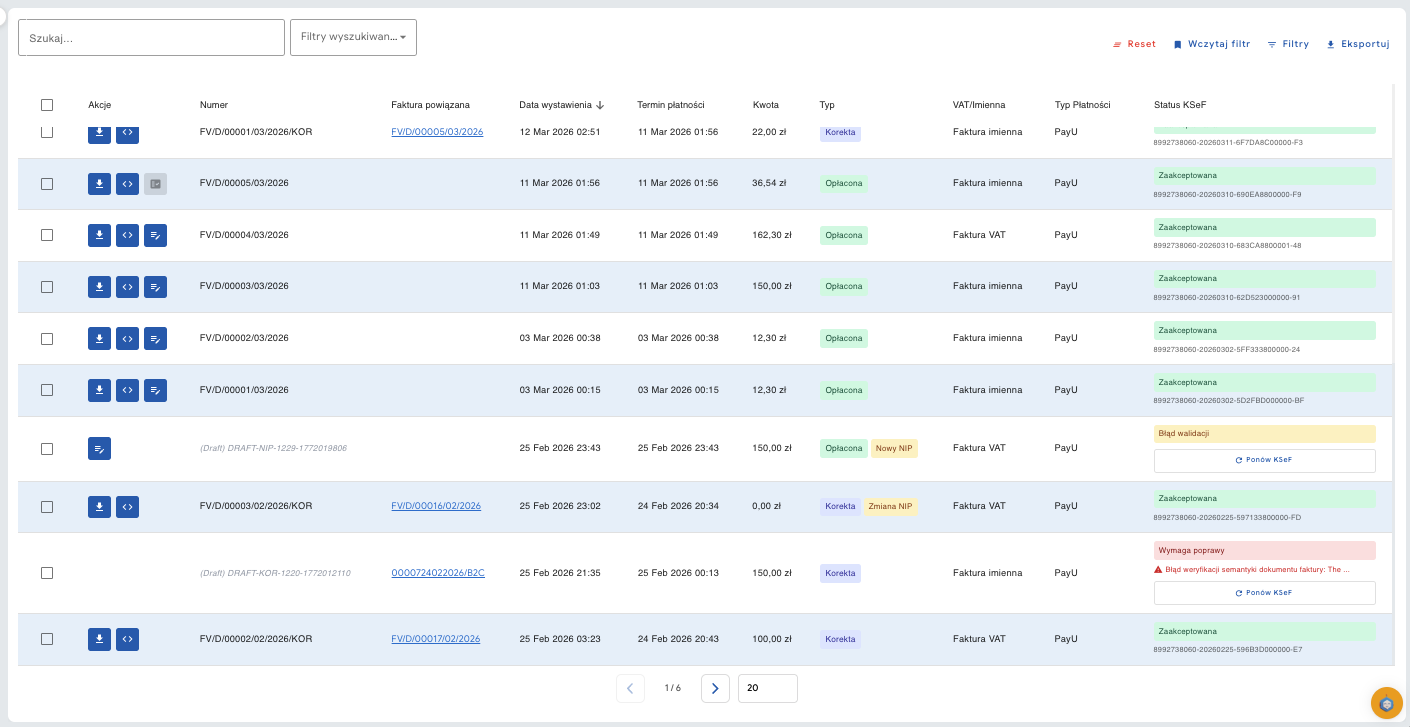
We’ve introduced separate numbering for VAT invoices and named invoices.
The change was prepared taking into account GDPR requirements and regulations related to KSeF.
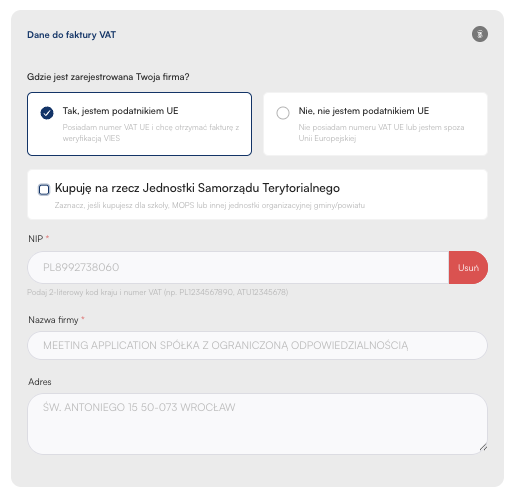
We’ve added the option to sell tickets using the VAT exempt rate.
The system correctly handles this scenario both in sales documents and in the schema required by the Ministry of Finance and KSeF.
We’ve added support for the internal unit number as the entity selling tickets for an event, in line with the Ministry of Finance schema.
We’ve also added the option to sell tickets for Local Government Units.
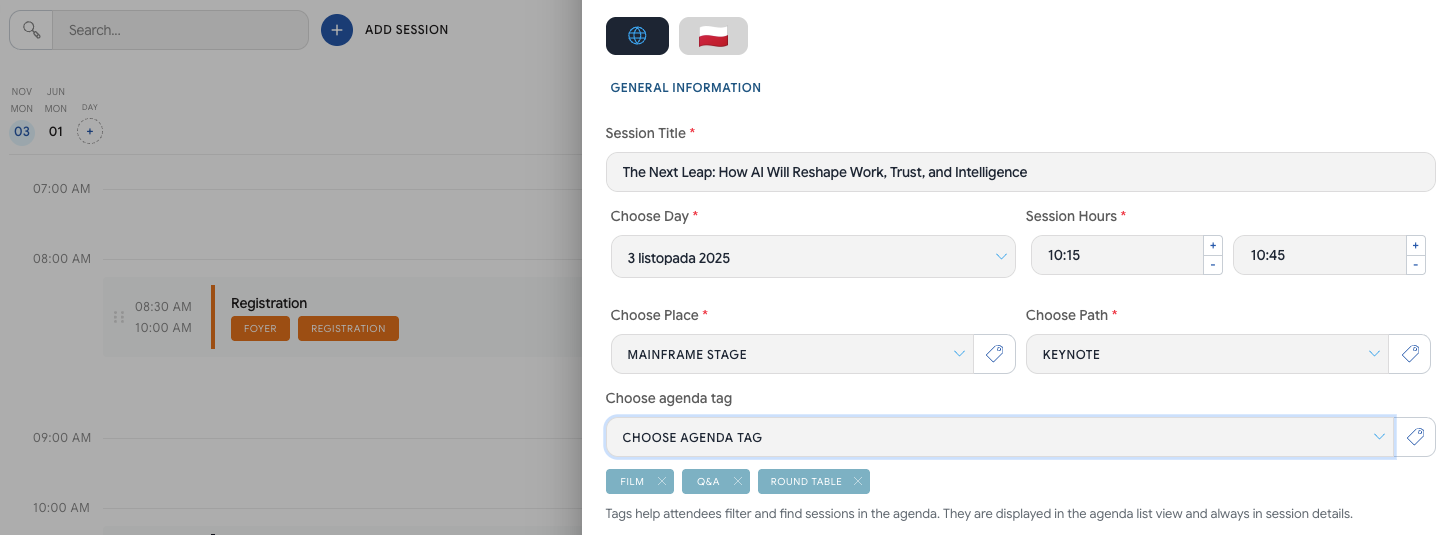
We’ve added the option to tag sessions in the agenda.
Tags let you additionally describe sessions, group them by topic, and make it easier for attendees to find interesting items in the agenda.
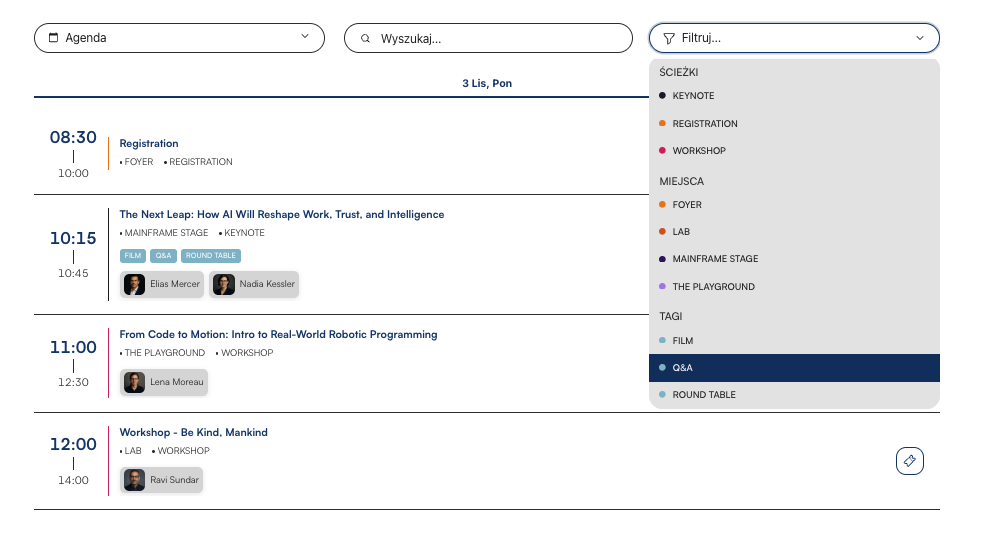
Tags are also visible on the Landing Page and in the mobile app.
Thanks to this, attendees can filter the agenda not only by standard data, but also by extra labels prepared by the organizer.
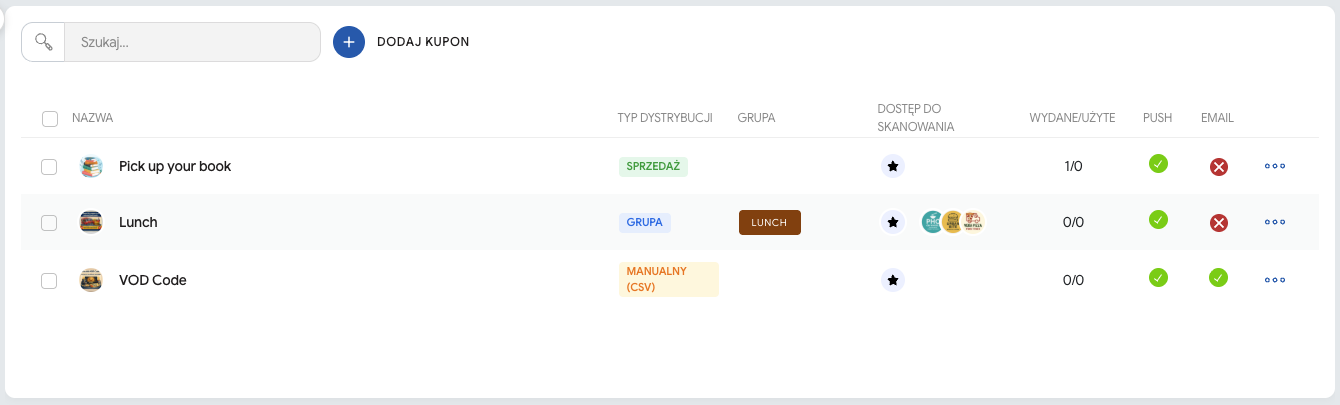
We’ve added the option to distribute codes to be used outside the Meeting Application system.
This feature can be used, among other things, to pass on:
discount codes,
access codes to the VOD platform,
partner codes,
other alphanumeric codes prepared by the organizer.
We’ve introduced automatic coupon distribution after purchase:
an entry ticket for the event,
a workshop,
an add-on.
Thanks to this, the organizer can link a specific purchase with automatically giving the coupon or code to the participant.
We’ve added extra system emails dedicated to events where a participant’s attendance has to be approved by the organizer.
This makes it easier to handle scenarios with closed registration, applications that need verification, and events where access isn’t granted automatically.
We’ve changed the exhibitor widget intended for embedding on an external website.
The new version of the widget makes it easier to showcase exhibitors outside the event Landing Page and lets you make better use of the data configured in the Meeting Application system.
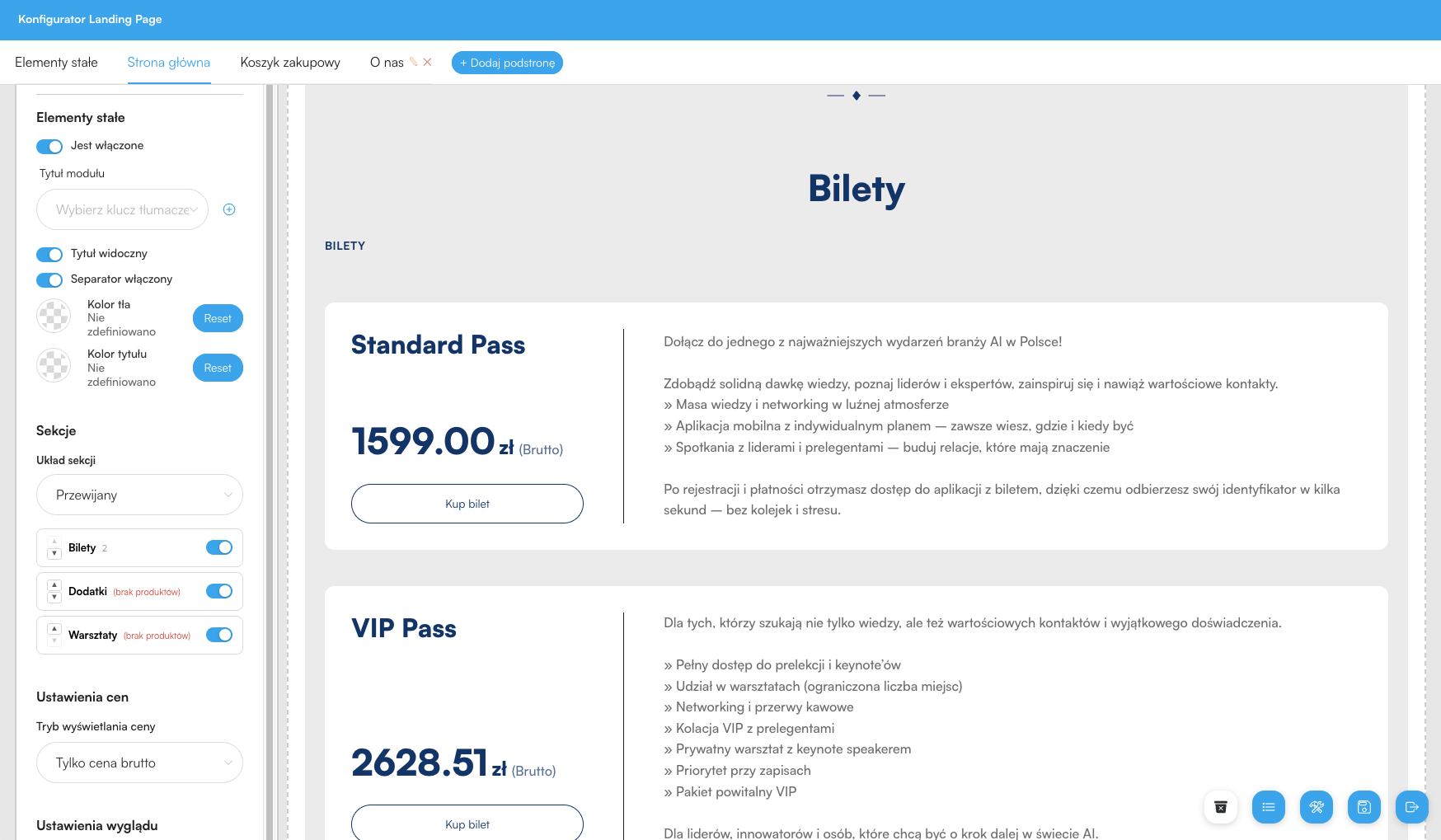
We’ve made changes to the Landing Page and the configurator that give organizers more control over how tickets, workshops, add-ons, and the agenda are presented.
We’ve added the option to sell add-ons and workshops as separate entities, independent of the main event ticket.
This way the organizer can build the sales offer more flexibly and better separate the main ticket from additional elements.
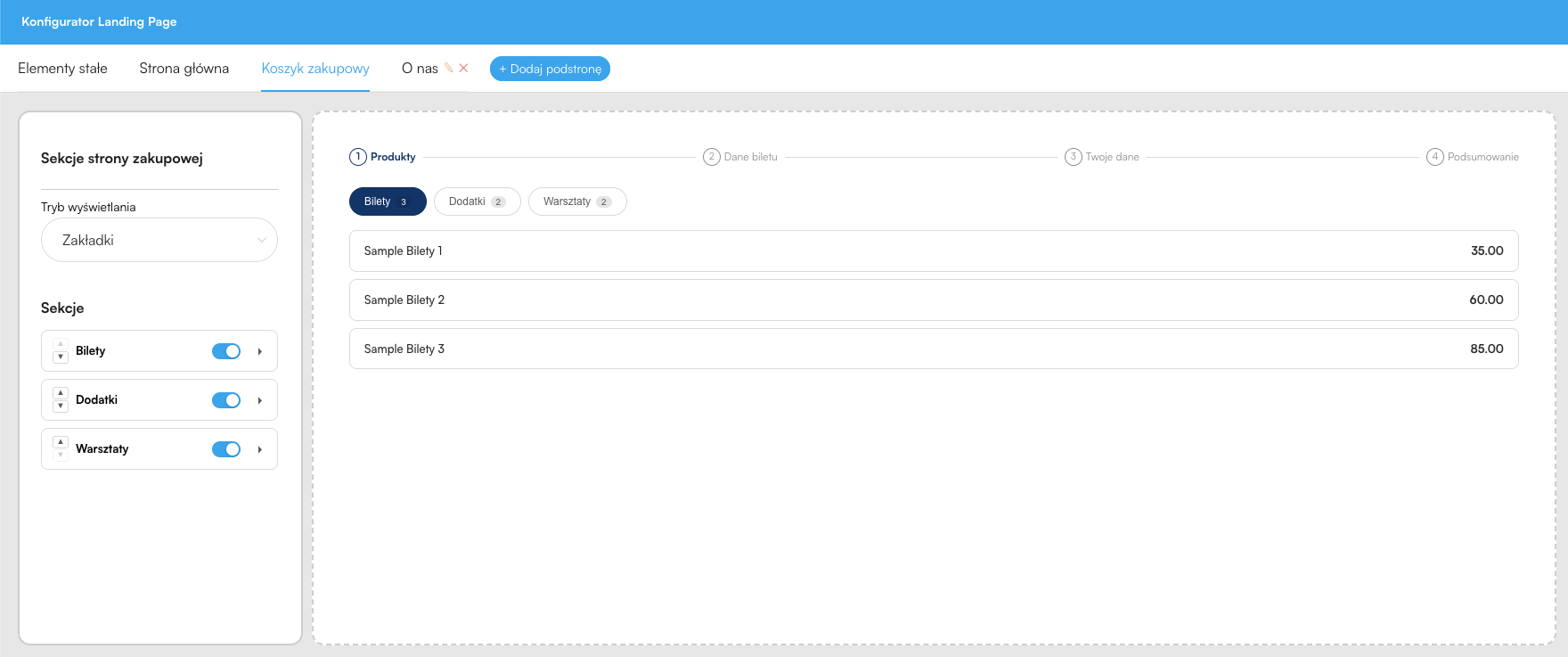
We’ve added the option to configure the view:
tickets,
add-ons,
workshops,
both on the event’s main page and in the shopping cart.
This lets you better adapt how the offer is presented to the type of event and the sales model.
We’ve changed the colors of the Landing Page’s bottom bar and nav bar.
Thanks to this, the organizer has more control over the look of the event page and can better match it to the brand’s or event’s visual identity.
In the mobile app, we’ve made changes that improve the readability of coupons, the agenda, and filters.
We’ve changed the view of the tab with coupons.
The new version has been expanded to support external alphanumeric codes, so participants can conveniently use both coupons generated in the system and codes provided for use outside Meeting Application.
We’ve changed the filter view in the agenda and added support for tags assigned to sessions.
Participants can now narrow down the event program faster to the topics, tracks, or session types they’re interested in.
We’ve changed the look of the agenda table in the mobile app.
The new view is clearer and better suited for browsing the event program on a phone.
The winter Meeting Application update tidies up many key areas of the system — from license purchase and event configuration, through ticket sales and KSeF support, all the way to statistics, the Landing Page, and the mobile app.
We hope that these changes will make your daily work with the system easier, speed up event configuration, and let you manage sales, communication, and participant experience even better.